Search What You Approve
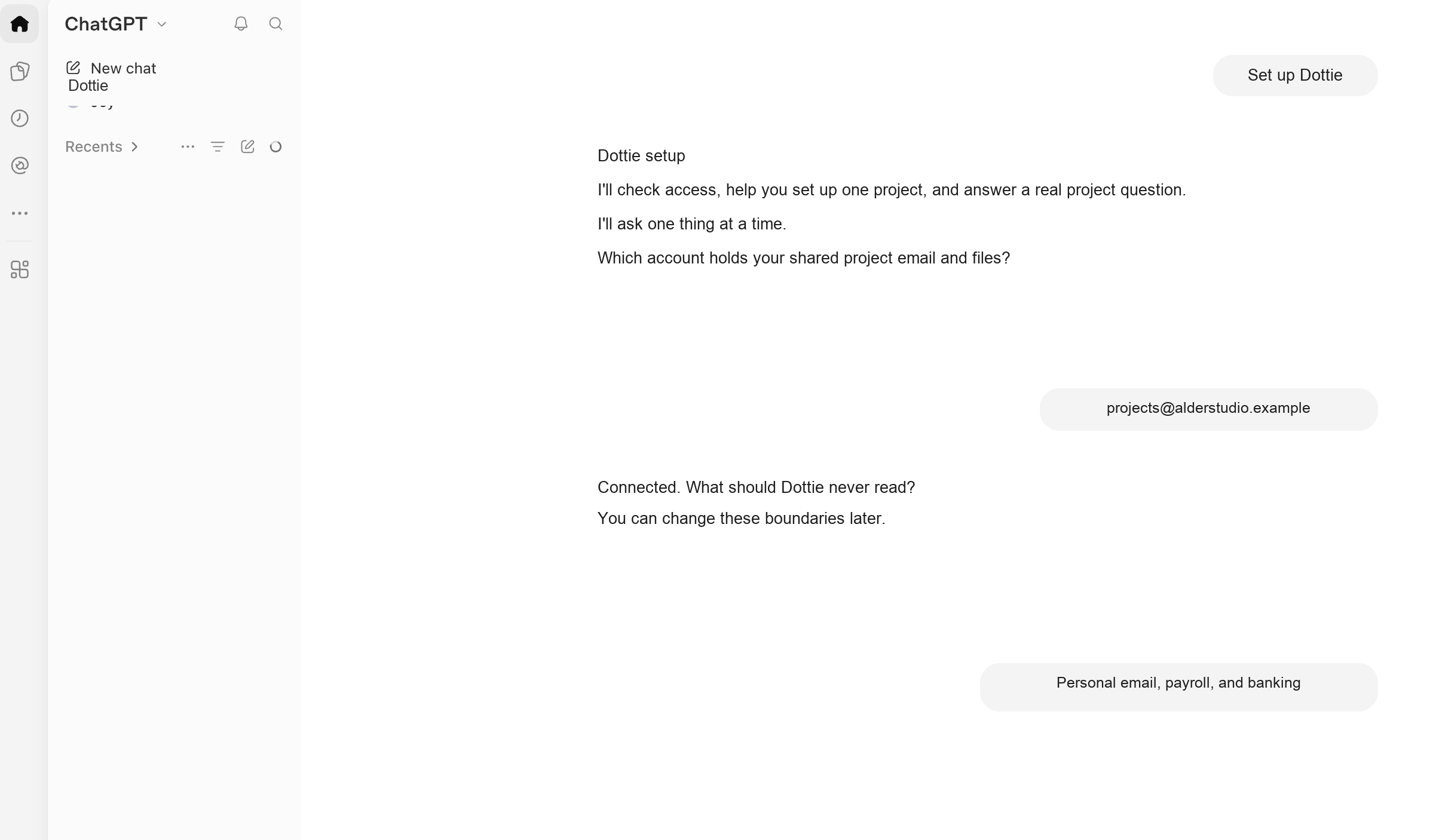
Dottie searches the project accounts, folders, and notes you explicitly allow. Everything else stays outside the boundary.
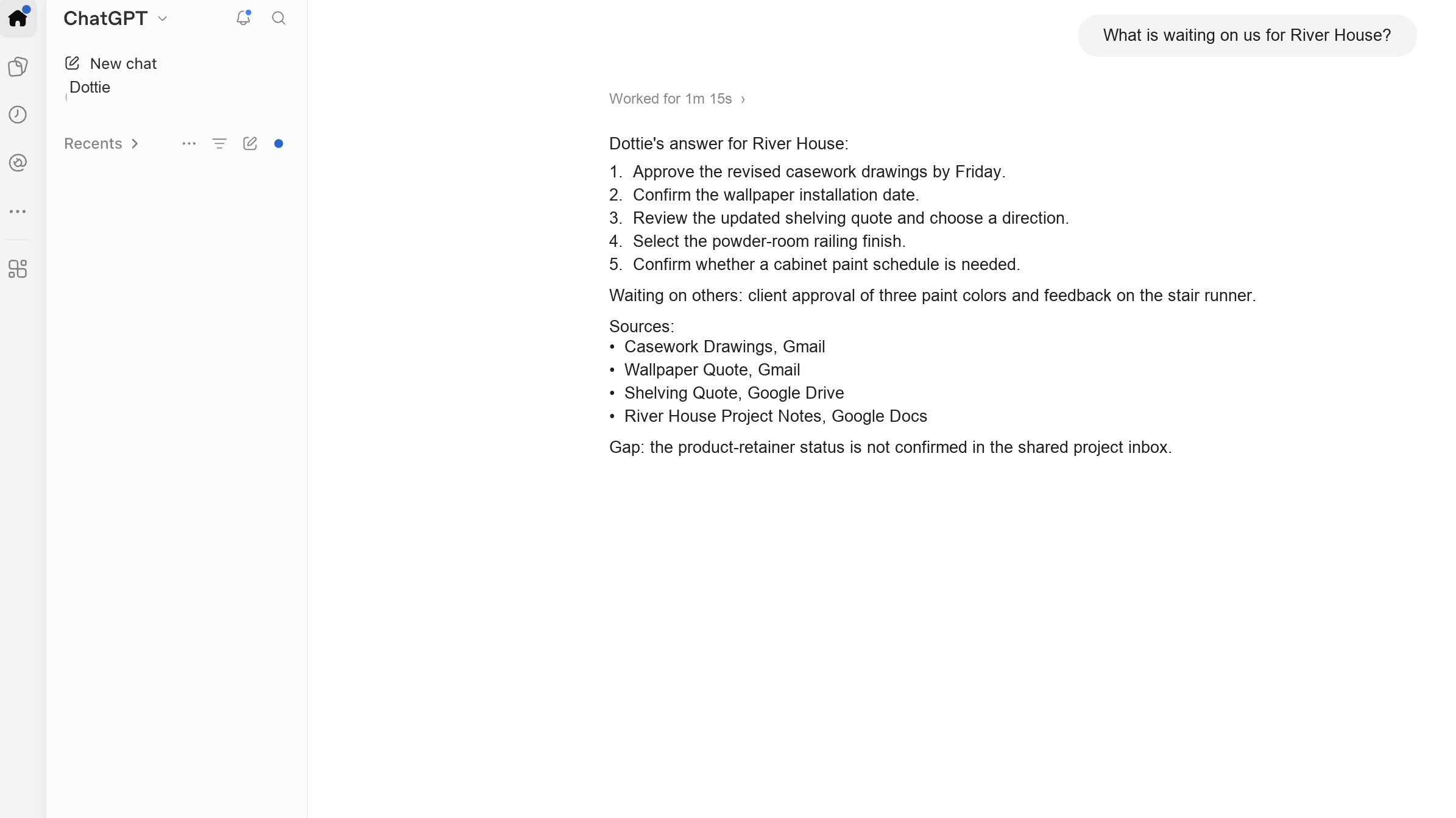
What did the client decide about the dining room? Dottie reads the project email, files, and notes you approve, then answers with the source attached. When she does not know, she says so.
One-time purchase. Both platform versions, guided self-installation, and 30 days of AI-based support are included. A human steps in when support genuinely needs judgment. Software subscriptions are separate.
Project memory is usually scattered across an email thread, a meeting note, a specification, and the file someone swears is the latest. Dottie pulls those pieces together without pretending a guess is an answer.
Dottie searches the project accounts, folders, and notes you explicitly allow. Everything else stays outside the boundary.
Ask in plain language. Dottie gathers the relevant information and returns the useful answer, not a pile of search results.
Every answer shows its sources and names the gaps. Your team checks before it acts.
No coding. No prompt building. No separate desktop app.
Walking in prepared becomes the default.
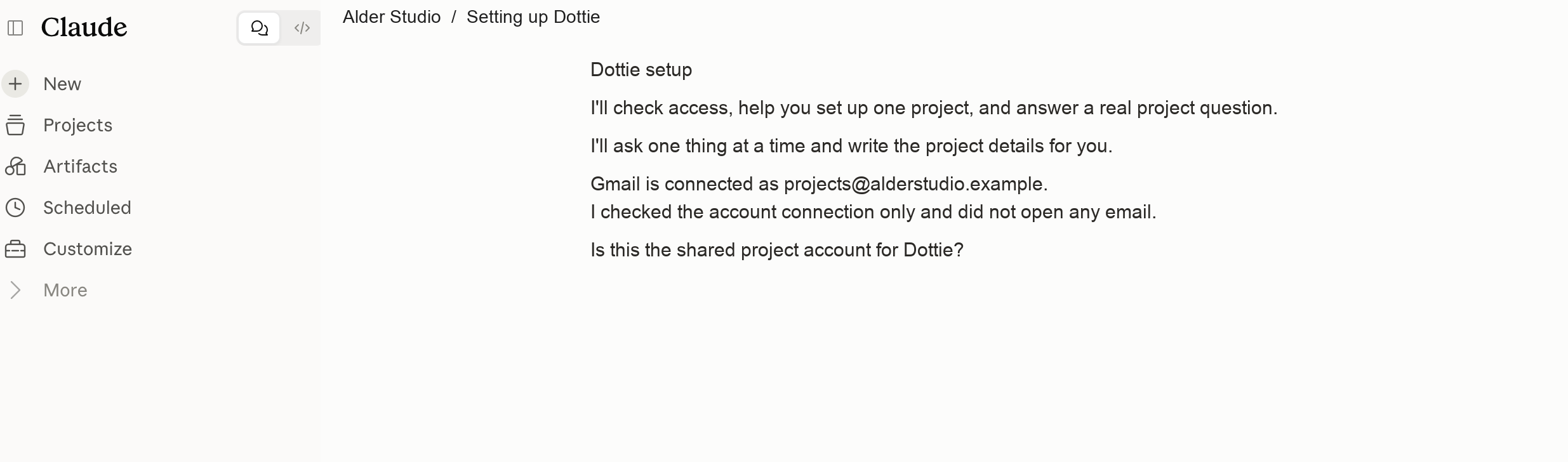
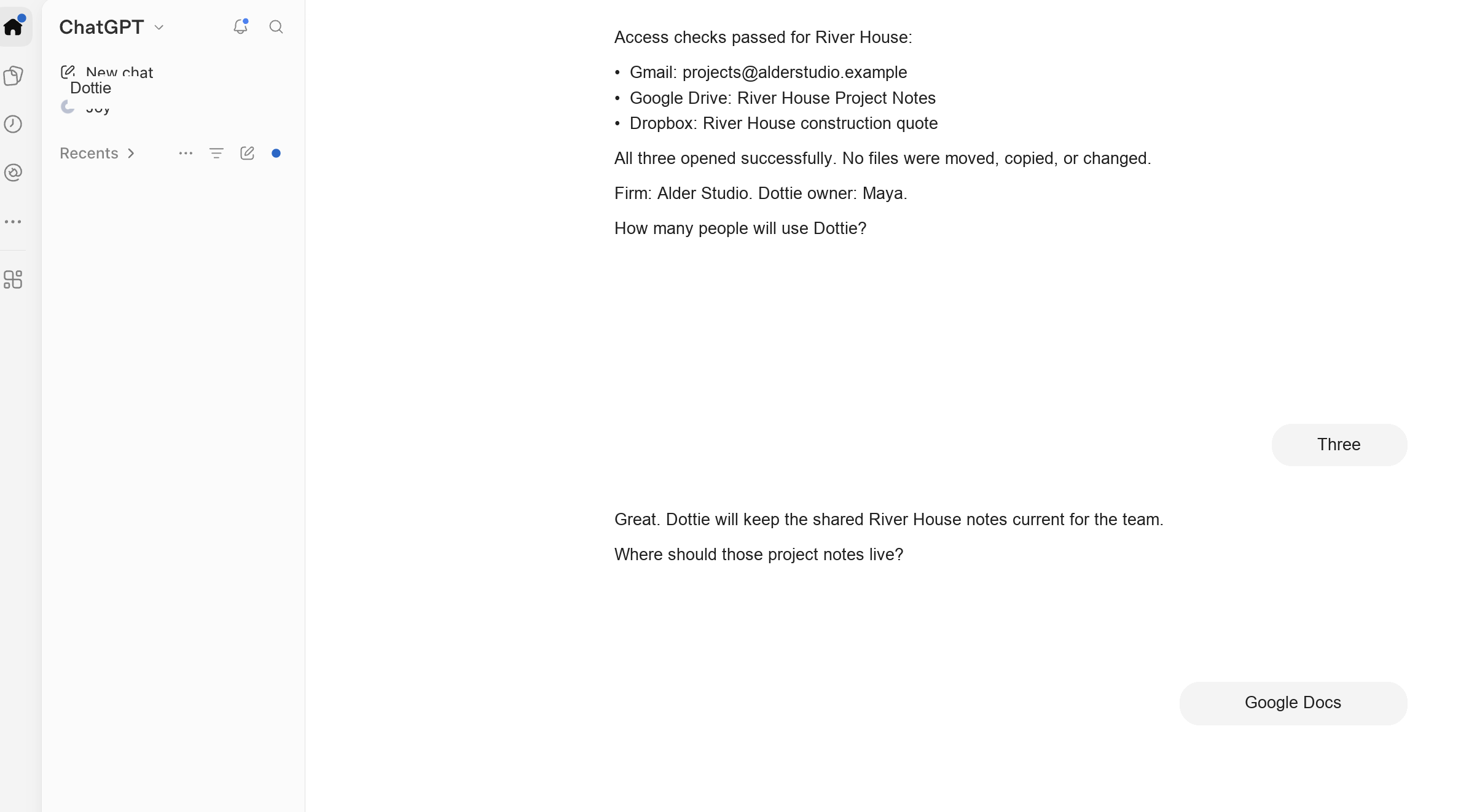
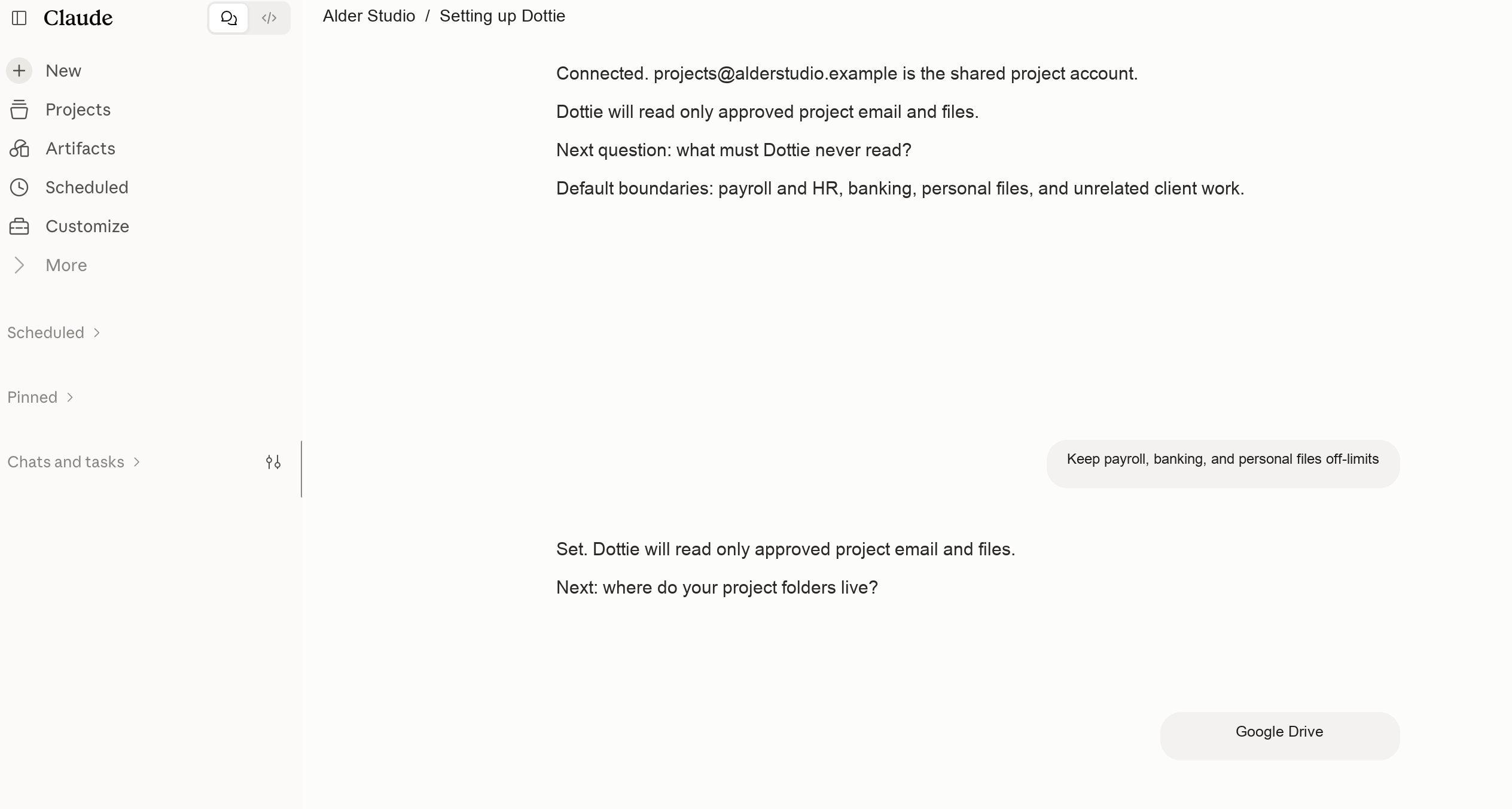
See The Installation PagesThese are real screens from a real installation, with the client details removed. The exact buttons vary by account and platform. The proof standard stays the same.
I built Dottie because good design work kept getting slowed down by the same mess: the decision was somewhere, but finding it meant searching through emails, files, notes, and someone’s memory.
I wanted one reliable place to ask a project question, get a clear answer, and see the source behind it. Dottie began as the system I needed inside Joy Street Design. Then I turned it into something another design firm could install and use without becoming an AI expert first.
“Love how well this organized all of my projects into one simple access point. Such an amazing time saver!”
“This system is a total game changer. I can now get a birdseye view of everything my team is working on and questions my clients have gotten answers to. No more digging through emails and searching for responses. I just wake up and it is in my morning briefing.
Better Project Management for an Interior Design Firm = Invaluable!”
Use Dottie on the platform that fits your team. Both versions are included. Your underlying software subscription is separate.
Follow the private setup page, define approved sources and exclusions, then test Dottie on one real project.
AI-based support handles common setup and usage questions for 30 days. A human steps in when the issue genuinely needs judgment.
If a real installation issue exposes a needed instruction correction, the applicable update is included during the support period.
Implementation is $1,795. Your $795 Dottie purchase is credited in full, leaving $1,000. After launch, 25% of every implementation supports Joy Street Initiative.
Core Dottie reads approved sources and returns cited answers. She does not send email, move files, delete anything, or take action outside an explicitly approved scope.
Inside a dedicated ChatGPT Project or Claude workspace. Dottie is not another desktop app or separate daily login.
Core Dottie is read-only except for the specific Project Notes or setup records you approve. She does not send, move, delete, or edit anything on her own.
Mostly. AI-based support handles common setup and usage questions during the 30-day support period. A human steps in when the issue genuinely needs judgment. Done-for-you implementation is separate.
Joy Street Initiative transforms shelters, transitional homes, and recovery spaces for women and families rebuilding their lives. During launch, 50% of every agent purchase supports its work. After launch, 25% of every AJS implementation continues that support.
No. The $795 purchase is for Dottie, both platform versions, installation guidance, and the stated support. ChatGPT, Claude, Google, Dropbox, or other software plans remain separate.
Yes. During setup, Dottie confirms how many people will use the system and establishes a shared notes method appropriate for the team.